macOS app · macOS 11 Big Sur or later
Keep your own iMessage history, on your own Mac.
A macOS app that archives the Messages history already on your Mac and exports it to PDF, CSV, HTML or plain text. Everything happens locally — no account, no upload, and no message ever leaves your device.
Apple Silicon and Intel. Signed and notarized by Apple.
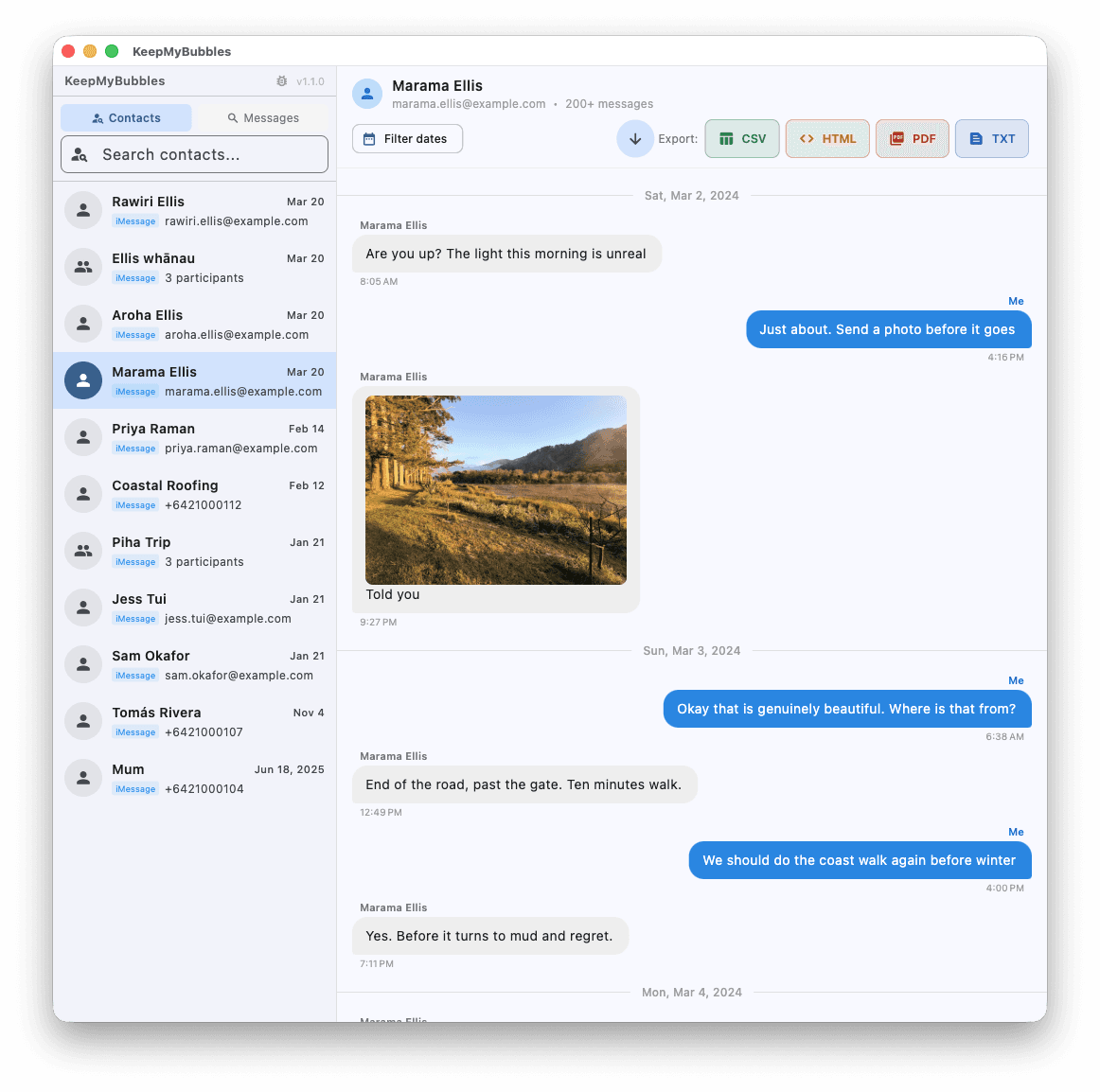
Shown with sample data. Your messages never leave your Mac.
Built to keep the whole conversation
Nothing leaves your Mac
Your messages are read from the local Messages database and written straight to a file you choose. There is no account, no upload, and no server to trust.
Rich, complete PDFs
Exports open with a summary page: when the export was made, from which device, how many messages, over what dates and with whom — so a file you open years from now still explains itself. Every message is numbered and carries a precise timestamp.
Edited and unsent, shown honestly
An unsent message is marked as withdrawn rather than silently blank, and an edited message is labelled with its earlier versions where macOS still holds them.
Attachments included
Photos are embedded in HTML and PDF exports. HEIC images are converted so they open anywhere, not just on Apple devices.
Search that actually finds things
Search runs across every conversation, including messages macOS stores in a compressed form that most export tools miss entirely.
Group chats and SMS
Group conversations keep per-sender names, and a contact's iMessage and SMS threads are merged into the single conversation you remember having.
How it works
- 1
Grant Full Disk Access
macOS protects your Messages database, so the app cannot read it until you allow it in System Settings. It takes about thirty seconds, and there is a guide if you get stuck.
- 2
Pick a conversation
Browse or search your conversations, optionally narrowing to a date range.
- 3
Export
Choose PDF, CSV, HTML or plain text and pick where the file goes. That file is yours — nothing is kept.
What it looks like
A real conversation, exported the way you would actually use it. The messages below are invented — KeepMyBubblesnever leaves your Mac, so there is nothing of anyone’s to show you but our own test data.
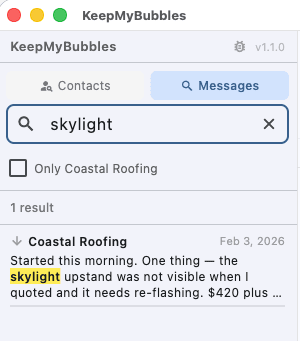
Find the thing you actually remember
Search runs across every conversation and shows you the match in context. It reads the compressed form macOS uses for most modern messages — the one most export tools skip entirely, which is why they come back empty for words you can plainly see on screen.
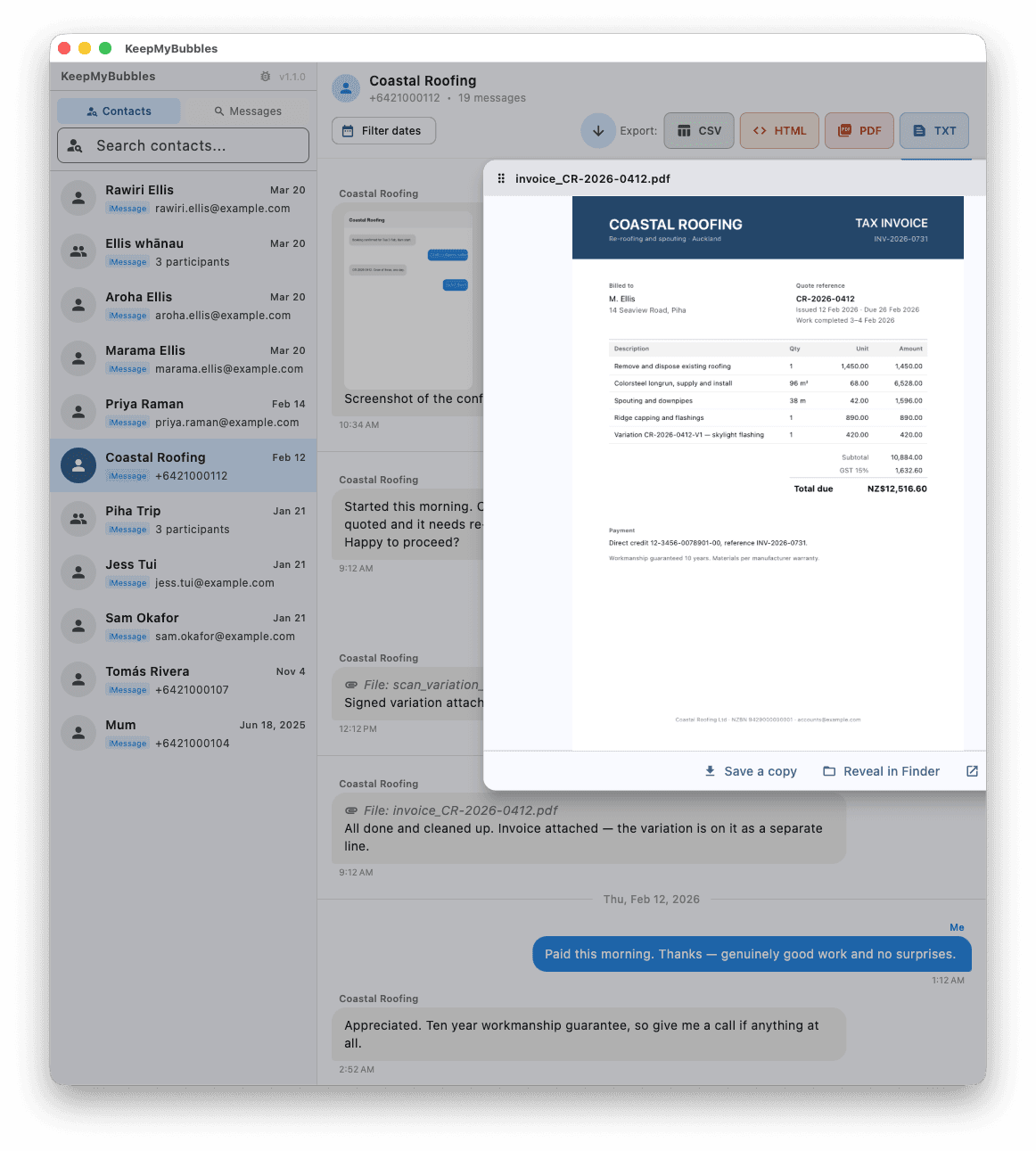
Open what was sent to you
Photos, PDFs, Word files and spreadsheets preview in place — drag the panel beside the conversation, then save a copy, reveal it in Finder, or open it properly. The originals live under folder names nobody would ever find by hand.
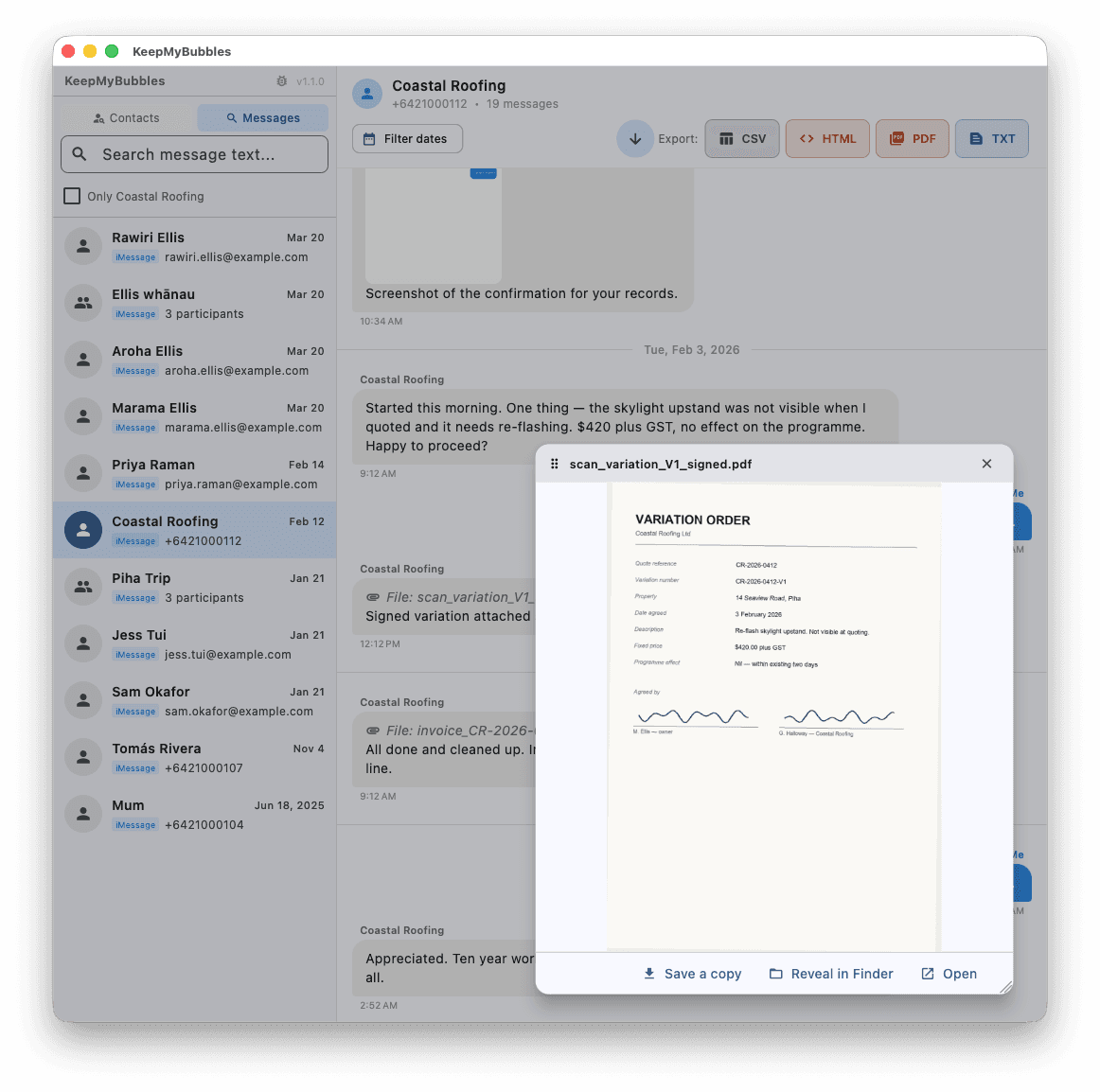
The whole record, in order
A quote, a scope of works, a costing, a variation agreed in writing, an invoice that reconciles — every message timestamped and in sequence. If you ever need to show what was agreed and when, it is already there.
Your messages, your Mac, and nothing else
KeepMyBubbles archives the conversations already synced to the Mac it runs on. That is the whole of what it does, and these limits are built in rather than promised:
- It reads only the Messages database of the macOS account it runs under. Not another account, and not another Mac.
- No remote access and no device pairing. It cannot connect to a phone, a tablet, or an iCloud account.
- It cannot run hidden. It is an ordinary app in your Dock, and it cannot be installed silently.
- It reads nothing until you grant Full Disk Access yourself, at that Mac, with an administrator password.
Using it to read someone else’s messages without their consent is prohibited, and the acceptable use policy sets out what that means.
Questions people ask
›Does my message data leave my Mac?
No. The app reads the Messages database on your Mac and writes the export to a file you choose. It has no account system, sends nothing to us, and works with your Mac offline.
›Why does it need Full Disk Access?
macOS treats your Messages database as protected data, so no app can read it without your explicit permission. Full Disk Access is the only permission macOS offers for it. You grant it once, in System Settings, and can revoke it at any time.
›Why isn't it on the Mac App Store?
App Store apps must run sandboxed, and a sandboxed app is not allowed to read the Messages database at all. Any Mac App Store app claiming to export your iMessages cannot be reading them the way this one does. That is why it is a direct download, signed and notarized by Apple so macOS still verifies it before it runs.
›Will it show messages that only exist on my iPhone?
Only if they have synced to your Mac. Your Mac holds what Messages in iCloud and text message forwarding have delivered to it, which can be less than your phone has. If a conversation is missing from Messages on your Mac, it is not in the database and no export tool can find it.
›What about edited and unsent messages?
An unsent message is recorded as withdrawn along with the time it was retracted, rather than appearing as an empty message. Edited messages are marked as edited, and earlier versions are included where macOS still holds them.
›Can I use this to read someone else's messages?
No, and the app cannot do it even if you wanted to. It reads only the Messages database belonging to the macOS account it is running under — not another account on the same Mac, and not another computer. It has no remote access, no device pairing, and no way to reach a phone or an iCloud account. Using it against someone else's messages without their consent breaches the acceptable use policy and ends your licence.
›Can it recover messages I deleted?
No. KeepMyBubbles is an archiving tool, not a recovery tool. It exports what Messages on your Mac currently holds. Once a message is deleted there it is gone, and no software can retrieve it from that Mac. Before buying, open Messages and check the conversation is visible — if you can see it, the app can export it.
›What does it cost, and can I try it first?
A one-off NZ$39 licence covering up to 3 of your own Macs, with no subscription. Before that there is a free 14-day review licence: the whole app except saving an export, so you can confirm your messages are really on your Mac and that the app finds them. If you buy and it does not work as described, email us for a full refund.
›Do I have to pay again for updates?
No. Updates are included — fixes, macOS compatibility and new features alike — at no further cost, with no maintenance window and nothing to renew. If we ever build something substantial enough to be a separate product we will sell it as one and say so plainly, but we will not move features you already paid for behind a new purchase, and we will not stop fixing what you own.
›Is a PDF from this admissible in court?
That is a decision for the court, and it depends on your jurisdiction and the circumstances. What the app does is make the record easy to authenticate: each export records when it was made, on which device, over what date range, and numbers every message with a precise timestamp. It never silently alters or omits a message. Whether that meets a particular evidentiary standard is a question for your lawyer.
Keep your conversations
Messages disappear with devices, upgrades and accounts. Export the ones that matter while you still can.
NZ$39 — one-off, no subscription
Download for macOS